SysInfo AOL Mail Backup Tool
Backup AOL Mailboxes on your Windows, Mac, or Linux Before Severe Losses.
*SysInfo AOL Backup Software Fully Secure Download Version.
Backup AOL Mailboxes on your Windows, Mac, or Linux Before Severe Losses.
*SysInfo AOL Backup Software Fully Secure Download Version.
AOL Mail No Longer Supports Your Regular Passwords. Instead, Try an App Password.
AOL has discontinued the use of your regular password for allowing sign-in with third-party apps. All tools for backup and migration, including AOL Mail Backup Tool Free, now require the use of an AOL App Password in order to connect securely. Doing this in advance is advantageous, as it will save you from AOL IMAP Not Working: Failed Login Attempts.
AOL App Password (a 16-character code ) is generated specifically for secure third-party app login and allows entry into your mailbox without exposing your actual password for opening your AOL account. It can be canceled at any time.
Some specific AOL or Verizon accounts will reject a newly created App Password from the first attempt. In this case, re-create a new password from your AOL account security page instead of reusing the same password. Check whether 2FA is enabled beforehand.
Explore multiple scenarios when you might need to install the best AOL Mail Backup Tool.
Creating free space in your server by transferring all outdated files to your local devices before deleting them from the currently hosted system? Or transferring years’ worth of emails and subsequently closing your AOL account, the AOL Mail Backup Wizard allows retaining your data. Access the entire history of files in offline mode to use the existing storage capacity to the fullest without losing any records.

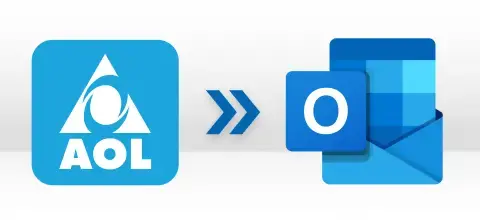
Preparing a small organization for a team merger or transferring employees' personal accounts to corporate ones, such as Office 365 or Google Workspace, or just working on moving your AOL messages into a more advanced desktop client, like Outlook or Thunderbird, which do not operate with AOL, the SysInfo Tool allows making the transition with accurate mapping, full data preservation, and no loss.

Whether you have to transfer a particular timeframe of client email traffic or mailbox folders to PDF format for purposes of audits or regulatory procedures, or just want to ensure an extra backup of your AOL mailbox files, with this SysInfo AOL Email Backup Tool, you can save everything important in numerous formats like PST, EML, CSV, DOC/DOCX, etc., and stay with no risk of data loss.
Must-have features of the AOL Migration Tool for users looking to backup or migrate AOL mailboxes.

Migrates AOL Emails to Email Clients
This tool offers multiple email client options to its users to migrate AOL to Office 365, Gmail (Google Workspace), and IMAP (Yahoo, Thunderbird, Opera Mail, Hotmail, Zoho Mail, Yandex Mail, Live Exchange, etc.) One must log in to the email client selected using valid credentials and map the source and destination manually or automatically for secure and authentic data transfers.

Backup AOL Emails to File Formats
AOL Mail Backup provides a range of options for saving multiple AOL Mail user account data on a local drive. Export AOL email to PST, PDF, JSON, MBOX, DOC, DOCX, EML, MSG, and CSV. Users can pick any of the supported options according to their needs and move AOL emails to the formats required with 100% forensic precision and preserved integrity.

Backups Multiple AOL Accounts
You can import a CSV file containing the credentials (Email ID, Password, Host, and Port) of different AOL accounts to the software and backup all of them at once. This feature allows users to download emails from 100s or 1000s of AOL accounts in bulk and migrate them to multiple email clients accurately in one run.

Safe Authentication & Login
The source and destination login credentials are used only to connect to AOL's servers once with the SysInfo AOL Mail Backup Tool and are never stored on SysInfoTools infrastructure. With the Use Saved Credentials login option, store credentials locally for repeated backups of the same account without re-entering them each time.

Handle Attachments & Storage
With AOL Email Backup Tool, keep your attachments inline, save as PDF, or exclude them to reduce your resultant size. Split your oversized PST/MBOX files into smaller parts and store PDFs by merging together to save space. Moreover, use the Free Server Space feature to delete AOL emails optionally from the web after a successful data backup, temporarily or permanently.

Preview & Report AOL Migrations
Move across the tree-structure mailbox view to review folder and message counts and select them specifically as required before initiating the backup. View the migration process in real-time with the live migration dashboard in Active Tasks, and upon completion, check All Reports to see items processed, skipped, and failed throughout the backup.

Backup Only What You Need
SysInfo AOL Mail Backup Software offers a Date Range filter to download emails only for a specific period and an Advanced Email Filter for particular data selection by item and content type. Furthermore, skip similar emails from your AOL Mailbox with Deduplication by Subject, From, To, and Body, and save your output files at the desired destination with a Custom Folder Name of your choice or with (Migration_YYYY_DD_HH-MM-SS) for ease of identification and access.

Reliable Delta Syncs & Management
The smart Skip Previously Migrated feature of this remarkable software allows you to move only newly added or skipped data from the last migration instead of restarting from scratch. Also, you can skip blank folders and deleted emails from backup or migration of your AOL emails in another format or an email platform on your Windows, Mac, and Linux. Try Demo to evaluate and move 100 emails for free or get a paid licence to move the entire mailbox at once with a no-loss guarantee.
Go through the specifications of this SysInfo AOL Backup Tool so you can install it quickly.

| Version: | 26.08 |
| Size: | 354 MB |
| License: | Multiple User |
| Release Date: | 11 August 2026 |
| Edition: | Single, Admin, Technician & Enterprise |

| Windows Processor: | Intel® Core™2 Duo E4600 Processor 2.40GHz |
| Mac Processor: | Apple Silicon (M1 or M2) or Intel-based Mac systems |
| RAM: | 4 GB (8 GB Recommended) |
| Disk Space: | Minimum Disk Space - 1 GB |
| Supported Windows: | 11, 10, 8.1, 8, 7, 2008, 2012 (32 & 64-bit), and other Windows versions. |
| Supported Mac: | MacOS X 10.8 (Mountain Lion), MacOS X 10.9(Mavericks), MacOS X 10.10 (Yosemite), MacOS X 10.11 (El Capitan), MacOS X 10.12 (Sierra), MacOS X 10.13 (High Sierra), MacOS X 10.14 (Mojave), MacOS X 10.15 (Catalina), MacOS X 11.0 (Big Sur), MacOS X 12.0 (Monterey), MacOS X 13.0 (Ventura), MacOS X 14.0 (Sonoma), MacOS X 15.0 (Sequoia) and above versions with M Series. |

The demo version of the SysInfo AOL Mail Backup Tool allows evaluation of all the features and backup of upto 100 emails per folder locally or to another email client. Test all functionalities before the final licence purchase for your satisfaction.
Here are the 04 simple steps you need to follow to backup AOL mailboxes with ease.
Start the SysInfo AOL Email Backup Software and sign in with IMAP/POP3 account credentials in single mode or Import CSV for batch account successful login.
Expand the scanned AOL tree hierarchy to fetch folders and email counts. Select those to migrate from your AOL mailboxes and click Continue to proceed ahead for backup.
Pick the desired file format/email client of your choice to save AOL emails and apply relevant filters like date, duplicate, server space, attachments, and other options for accuracy.
At last, check the real-time migration progress from the Active Tasks dashboard and use the All Reports window to verify a detailed analysis of the entire migration process.
SysInfo's Award-Winning Software Recognized by Experts- Highly Rated in the Best Category



Trustpilot reviews SysInfo Software as efficient and quick for all. It offers fast speed, accurate and guaranteed conversions, and its tech support is also amazing. The softwares is very simple to use and is built to meet the user requirements while keeping their data completely secure and accessible. No credentials are stored, and all of them can be used on the local OS without the need for any specific application.

Software Informer reviews SysInfo AOL Mail Backup Software as a user-friendly solution for all technical and novice users. It offers support to handle large and voluminous mailboxes without any difficulties. Whether you have 50 GB or 75 GB of AOL emails and attachments, it transfers everything with full accuracy to your desired file format or exports directly to Google Workspace, Office 365, and IMAP accounts without any loss or downtime.
AOL Mail Backup Software Trial & Licenced Version Comparison is given here for users' understanding.
| Product Features | Free Version | Full Version |
|---|---|---|
| Secure Export to Formats or Email Platforms | 100 emails per folder | All |
| Single & Batch Migration | ||
| Tree-Structure Preview | ||
| Duplicate Removal & Incremental Sync | ||
| Date, Mail Filter, & Free up Server Space | ||
| Migrate or Backup Emails With or Without Attachment Files | ||
| Output Verification | ||
| 24*7 Tech Support & 100% Secure | ||
 |
Download | Buy Now |
SysInfo has been a long player in email migrations with full data security and no credential storage. Whether you are an individual, a home user, team, business, enterprise, or MSP, it ensures local-first processing and structure-accurate data exports rather than flattening data into a single dump. Moreover, you can achieve enterprise-grade precision with its software while migrating or backing up voluminous data for ease of use.
For any software-related queries or concerns, you can reach out to the tech support 24*7 without any trouble!
Commonly Asked Questions and Their Respective Solutions about SysInfo AOL Mail Backup Tool.
Ans: Yes! It is necessary to enter your credentials on the login page of the AOL Mail Backup software for authentication. However, you can rest assured that the login happens between the software and AOL servers only, and the credentials are not stored or exposed elsewhere, as your privacy remains the top concern.
Ans: No, the AOL Email Backup Software is designed only to backup AOL Mailbox items via IMAP authentication. You can download & store AOL Mail to external storage media/PC in various email file formats. This is not a software limitation, but IMAP doesn’t support moving contacts, calendar, and similar items data to another platform.
Ans: Yes. Batch Mode option in this specialized software accepts a CSV file with login details like ID, Password, Host, and Port for multiple AOL accounts and processes all of them in a single run with no hassle involved.
Ans: Yes. Choosing IMAP, Office 365, or Gmail (Google Workspace) as the destination migrates data directly into the live account without an intermediate export AOL email to CSV, PST, or another file export. You just need to enter your correct target account credentials, choose an authentication mode (App Password/OAuth 2.0/ Admin Access/JSON or P12 key), and accordingly map the source and target folders before initiating the migration process.
Ans: Yes. Default AOL folders and any custom folders that you've created carry over with the same hierarchy, metadata, timestamp, read/unread status, and flags at the destination. Nothing gets stuck or lost in between the process, and everything remains as in the original mailbox.
Ans: If you have a very large mailbox size or folders that were not necessarily required are included, then the backup process may take a lot of time. To avoid this issue, use the date range and mail filter to opt for data that is only important, split large files to reduce resultant data, and avoid duplicates, saving space, effort, and time.
Ans: Check your attachment settings before initiating the migration. If it is set to “Backup without attachments,” remove it. Also, verify the status of your migration through the live report window. In case the migration gets stuck or is halted unexpectedly, use delta sync to resume migration from the last checkpoint for ease.
Ans: There are no such email count restrictions for migrating emails in licensed versions using the AOL Mail Backup Tool. However, using the trial version, one can send only 100 emails free of cost to the desired platform or locally in a significant format.