SysInfo PDF Recovery Tool
Best PDF Repair Tool to Fix Corrupted PDF Files and Restore it in Accessible Format.
*Sysinfo PDF File Recovery Tool, the most recommended solution for corrupted PDF files.
Best PDF Repair Tool to Fix Corrupted PDF Files and Restore it in Accessible Format.
*Sysinfo PDF File Recovery Tool, the most recommended solution for corrupted PDF files.
Features of the online PDF Repair Tool Wizard
Find out in what scenarios using PDF Repair Tool is a smart choice

The PDF Repair Software is the ideal tool to repair corrupt PDF files. It can fix any type of PDF file corruption and damage effectively. The tool restores the complete file content without disturbing file integrity.
If you want to extract images and text from a corrupted PDF file, opt for the best PDF Recovery Software. It provides distinct options to extract and save images and text without changing the original file.
You can not recover multiple PDF files at once by any means. Therefore, the advanced PDF file recovery software helps you save time and effort by repairing multiple PDF files in a single step with complete accuracy.
Explore All features of the PDF File Recovery Online in detail for better understanding

Repair Corrupted and Damaged PDF
The PDF Recovery Tool is an effective way to repair the damaged PDF and access the inaccessible PDF file content. It restores complete PDF content, like images, text, graphs, etc., from a corrupted PDF file.

Bulk PDF File Recovery
If you have multiple PDF files, you can select and repair them all at once. This bulk PDF file selection feature saves you valuable time and effort. You do not need to repeat the same procedure multiple times.

Two Modes of File Repair
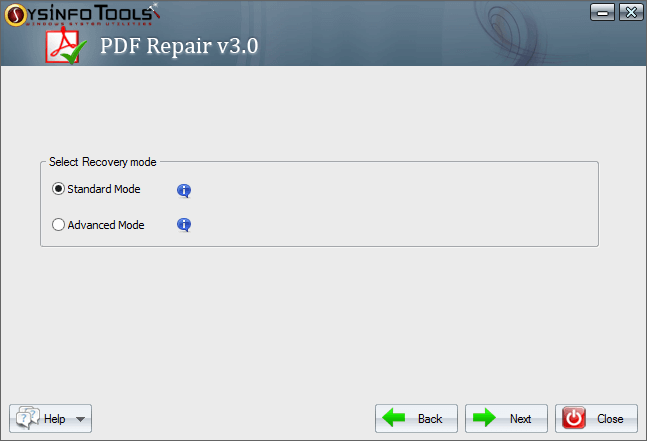
The PDF Repair Tool provides two different modes of file recovery: Standard and Advanced. The first file recovery mode is suitable to fix minor corruption. The Advanced mode helps you to deal with heavily corrupted files.

Preview Recovered PDF
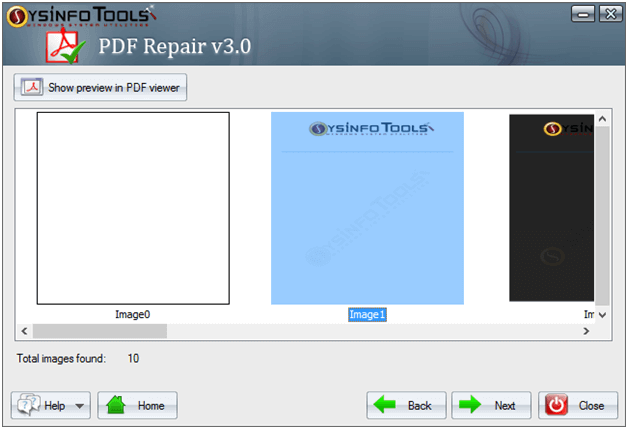
After adding the file, you can check the file content. The application displays the preview of the selected PDF file content. It shows the number of pages and a snapshot of all the pages. All this data can be restored.

Extract Images and Text
A prominent feature of the Sysinfo PDF Recovery Tool is that it extracts images and text from the selected PDF file. All the file content will remain unaltered. Also, it does not change the meta description of the original file.

Support all PDF Files
You can repair any PDF file as the tool supports PDF files created by any version of Adobe Acrobat. So, you can recover any corrupt PDF file through this software developed on any version of Adobe Acrobat.

Free PDF Recovery Tool
The free PDF Repair Software is available to evaluate the tool. You can download and use this demo version to evaluate the working features of the premium application. However, it saves only alternate pages of recovered files.

Sustain Data Integrity
The application does not alter the file content and data integrity. All the metadata of the selected file will remain secure. It is a completely secure and reliable utility to restore PDF files from any type of file corruption.

Fast and Compact Tool
It is a fast and compact tool that takes minimum time and space to recover corrupted PDF files. Also, it has an interactive and simple user interface that makes this software ideal for both beginners and advanced users.

Compatible with Windows
The PDF Recovery Tool is compatible with all versions of Windows OS. It works swiftly on any Windows PC. Therefore, you can install and use this tool, whether you are using Windows 11 or any other early Windows OS.
Check the Best PDF Recovery Software Specifications Before Downloading the Application

| Version: | v3.0 |
| License: | Multiple User |
| Edition: | Single, Admin, Technician & Enterprise |

| Processor: | Intel® Core™2 Duo E4600 Processor 2.40GHz |
| RAM: | 8 GB RAM (16 GB Recommended) |
| Disk Space: | Minimum Disk Space - 512 GB |
| Supported Windows: | 11, 10/8.1/8/7/, 2008/2012 (32 & 64 Bit), and other Windows versions. |
Here are Easy Steps to Repair and Recover PDF File Data
SysInfo's Award-Winning Software, Highly Rated by Experts in the Best Category




The Sysinfo PDF Recovery Tool has been positively reviewed by most of its users. It is a top-notch tool suitable for all users and has innovative features. View more

According to Software Suggest, the PDF Recovery Tool by SysInfo is the best software with different premium plans to suit the diverse requirements of users. View more
Compare the features of the free version and full version of the Sysinfo PDF File Repair Tool
| Product Features | Free Version | Full Version |
|---|---|---|
| Repair corrupted PDF files and save them at a desired location | Save Only Alternate Pages | Complete PDF file |
| Dual modes of file recovery: Standard and Advanced | ||
| Support PDF files created by any version of Adobe Acrobat | ||
| Display preview of recovered PDF file content | ||
| Extract images and text from the recovered file | ||
| Maintains data integrity while repairing the PDF | ||
| A secure and reliable tool to recover PDF files | ||
| Widely compatible with all versions of Windows OS | ||
| 24*7 Tech Support & 100% Secure | ||
 |
Download | Buy Now |
Some common user queries regarding PDF Repair Software and their respective solutions
Ans: Follow the below steps to restore the corrupted PDF file.
Ans: There is no file size limitation for corrupted PDF files to recover. The PDF repair tool can repair any size PDF file efficiently.
Ans: Yes, you can repair multiple PDF files simultaneously. The application provides you with the bulk file selection feature.
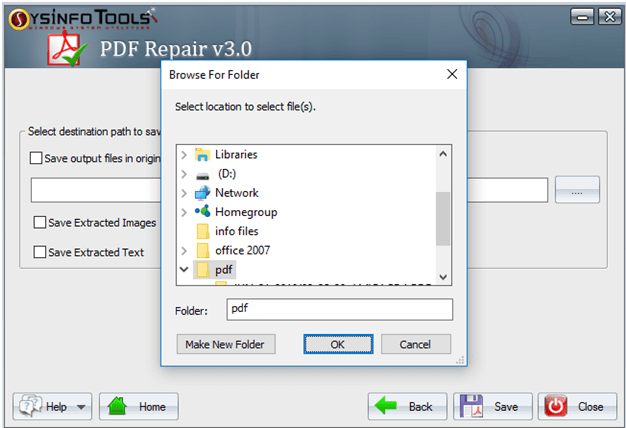
Ans: Yes, the application provides the Save output file in the original PDF files folder. By enabling this option, you can save the output file at the source file location.
Ans: No, you do not need to install any additional application like Adobe Acrobat to repair the corrupted PDF file using the PDF Recovery Tool. It is a standalone utility.
Ans: There are high chances that your PDF file has been corrupted. To access its data, you have to repair it through the Sysinfo PDF Recovery Tool.
Ans: The application supports all types of PDF files. Thus, you can repair PDF files created by the old versions of Acrobat.
Ans: After adding the file, the application provides you with the option to extract images and text from the selected file. You can extract these items without altering the original PDF file.
Ans: Some of the most prominent reasons for PDF file corruption are.
Ans: The demo version of the tool only saves the alternate pages of the recovered PDF files. Therefore, you need to purchase the premium tool for complete data recovery.
Ans: The PDF Repair application is designed to work efficiently on all versions of Windows OS. Therefore, it will work smoothly on your Windows 11 PC.
Verified Customer Reviews for the SysInfo PDF Repair Tool
U.K.
Australia
Korea
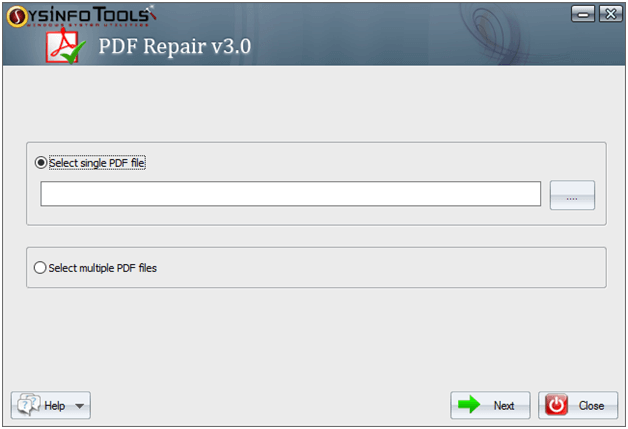
Step 1: Run the Sysinfo PDF Recovery Software and Choose the single or multiple file mode option.
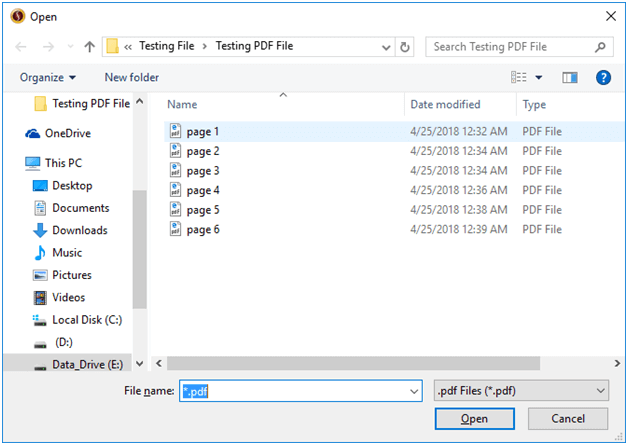
Step 2: Search for the PDF file by pressing the browse button and hitting the Open button.
Step 3: After opening the selected PDF file, choose the recovery mode as a standard mode or advanced mode.
Step 4: Pick Recovery Mode and press the Next button to start the extraction process and successfully extract your Image, Text, and Document from the PDF file.
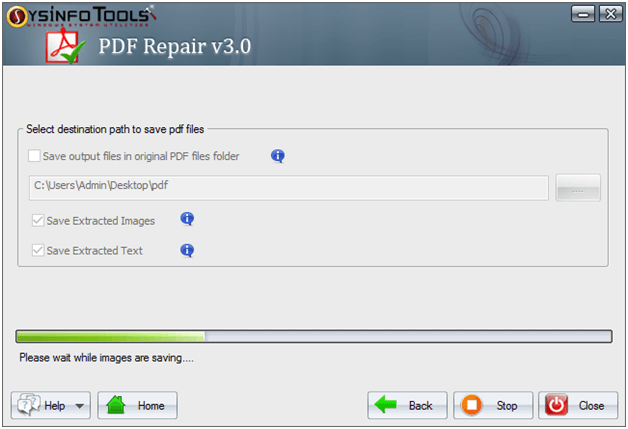
Step 5: Now press the Next button and pick the destination folder or path where you want to save the extracted file.
Step 6: Now just tick the checkbox to save extracted image and text successfully.