-
Written By
Simran Bhatia -
Approved By
Sonika Rawat -
Updated on
October 7th, 2026 -
Read Time
8 minutes
Microsoft 365 Alternatives: Best Options for Business & Enterprise
Fact-checked and reviewed in accordance with our
Editorial Policy
Microsoft 365 is a widely used software suite that can be used for emailing, creating documents, spreadsheets, cloud storage, and communication. However, Microsoft 365 may not be suitable for all people. For some companies, the pricing policy is a challenge, whereas others may have preferences with regard to cloud storage, office suite, privacy, and collaboration. Fortunately, there are several Microsoft 365 alternatives available today. These options range from free office suites to complete business productivity platforms. In this guide, we will look at some of the best alternatives, their key features, advantages, limitations, and who should consider using them.
Why Do People Want an Office 365 Alternative?
- Cost: With a per-user pricing model, you will pay more when your team expands.
- Complexity: The admin console is overloaded with a variety of settings. For a small company without any IT staff, it may be difficult to cope.
- Security: Some companies feel more secure having their information on their own server or that of a local company.
- Too many options: Many users only need e-mail, document handling, and calendaring capability. However, they still have to pay for other tools that are never used.
- Vendor lock-in: Having everything – files, mail, teams – on one platform makes switching to something else difficult.
Quick Answer: Best Office 365 Alternative
There are approximately 321 million business users of Microsoft 365, and the application takes about 30 to 48 percent of the global market for productivity software. However, Microsoft 365 is not for everyone. Issues such as increasing cost, numerous features that are rarely used by most teams, and data privacy issues make companies search for alternative applications.
Microsoft 365 Alternatives for Enterprises
|
Alternative |
Best For |
Main Strength |
|
Google Workspace (Formerly G Suite) |
Businesses and remote teams |
Cloud collaboration |
|
Zoho Workplace |
Small and medium businesses |
Business productivity |
|
LibreOffice |
Individuals and offline users |
Free desktop office suite |
|
Apple iWork |
Apple users |
Simple document creation |
|
Proton Business Suite |
Privacy-focused users |
Security and privacy |
|
ONLYOFFICE |
Businesses and self-hosted users |
Microsoft Office compatibility |
|
WPS Office |
Individuals and small teams |
Familiar office interface |
Free Microsoft 365 Alternatives for Small Business
The following platforms are the best free alternatives to Microsoft Office 365:
1. LibreOffice
- LibreOffice: Office suite software that is free and open-source
- Components include: Writer, Calc, Impress, and others
-
- Best for: Offline work and basic office tasks
- Cost: Free
- Pros:
-
- Works offline
- Supports common Office file formats
- Available on multiple operating systems
- No monthly subscription
- Cons:
- Limited cloud collaboration
- Less integrated than Microsoft 365
- Some complex Office files may have formatting issues
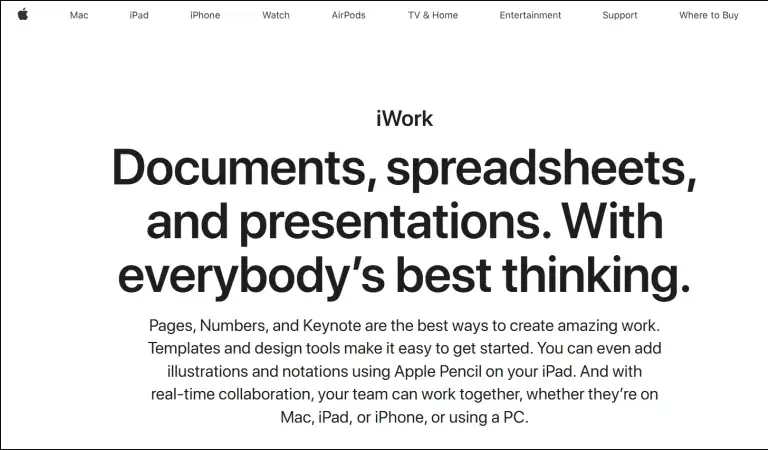
2. Apple iWork
- Apple iWork: Free productivity application from Apple
- Contains: Pages, Numbers, Keynote
- Best for: Apple users and basic office work
- Cost: Free for Apple users
- Pros:
- Easy to use
- Works well across Apple devices
- Supports document, spreadsheet, and presentation files
- Allows collaboration through iCloud
- Cons:
- Mainly suited to Apple users
- Fewer advanced business features
- Some Microsoft Office files may need formatting adjustments
3. WPS Office
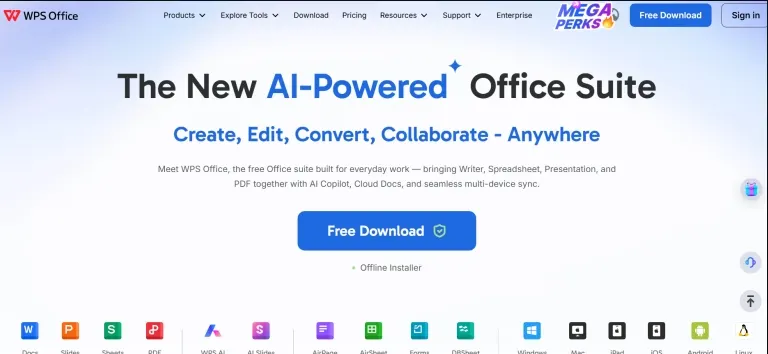
- WPS Office: Office suite for productivity
- Components include: Writer, Spreadsheet, Presentation, and PDF applications
- Suitable for: Individuals and small organizations
- Price range: Free and paid options
- Pros:
- Familiar and easy-to-use interface
- Supports common Office file formats
- Includes PDF tools
- Available on multiple devices
- Cons:
- Some features require a paid plan
- Free version has some limitations
- May not provide all Microsoft 365 business features
Paid Office 365 Business Alternative
The following platforms are the best paid alternatives to Microsoft Office 365:
1. Google Workspace
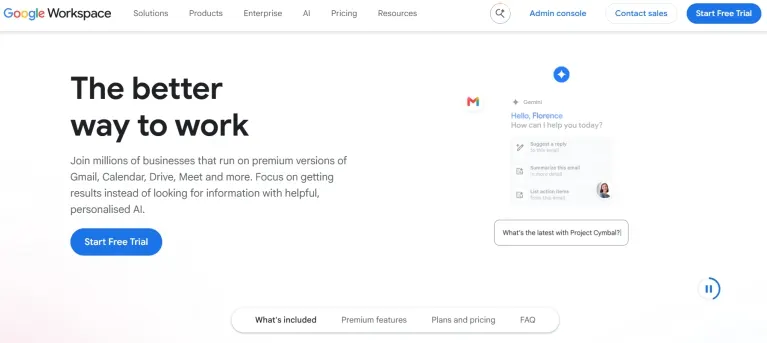
- Google Workspace: Cloud-based productivity suite
- Includes: Gmail, Google Drive, Docs, Sheets, Slides, Meet, and Chat
- Best for: Businesses and remote teams
- Cost: Paid plans with a free trial available
- Pros:
- Easy real-time collaboration
- Business email with Gmail
- Cloud storage through Google Drive
- Works across different devices
- Simple file sharing and access controls
- Cons:
- Requires an internet connection for many features
- Some advanced Microsoft Office features may not work the same way
- Switching from Microsoft 365 may require data migration
2. Zoho Workplace: Microsoft 365 Alternatives
- Zoho Workplace: Cloud-based business productivity suite
- Includes: Zoho Mail, Writer, Sheet, Show, WorkDrive, Cliq, and Meeting
- Best for: Small and medium-sized businesses
- Cost: Free and paid plans
- Pros:
- Business email and office tools in one platform
- Cloud storage with WorkDrive
- Team communication and collaboration tools
- Supports multiple devices
- More affordable for smaller teams
- Cons:
- Some advanced features require paid plans
- Interface may take time to get used to
- May not fully replace Microsoft 365 for complex business needs

3. Proton Business Suite: Business productivity suite focused on privacy
- Contains: Proton Mail, Drive, Calendar, and more
- For: Companies who value their privacy and security
- Cost: Paid plans
- Pros:
- Strong focus on privacy
- Secure business email
- Encrypted cloud storage
- Easy-to-use interface
- Supports business collaboration
- Cons:
- Fewer office applications than Microsoft 365
- May not replace all Microsoft 365 features
- Some advanced features require higher plans
4. ONLYOFFICE: Office productivity suite
- Includes: Document Editor, Spreadsheet Editor, Presentation Editor, and PDF Editor
- Useful for: Business and self-hosting purposes
- Price: Free and paid versions
- Pros:
- Good compatibility with Microsoft Office files
- Supports online document collaboration
- Offers self-hosting options
- Works across multiple platforms
- Useful for businesses that want more control over their data
- Cons:
- Certain advanced functions demand subscription packages
- Technical skill may be required for self-hosting
- Not as extensive a range of services compared to Microsoft 365
How to Backup Your Microsoft 365 Data?
Before switching to another platform, it’s important to take a backup of your important emails, contacts, calendars, and attachments. The SysInfo Office 365 Backup & Restore Software is a top-notch utility that backs up your data to multiple Saving Formats. It includes PST, PDF, MBOX, G Suite, IMAP, and more. Supports primary mailbox, shared mailbox, online archive, and public folder. Compatible with all Windows and Mac OS versions. Additionally, it offers several advanced features, such as Preview, Date Filter, Remove Duplicates, and more.
Steps to Backup Microsoft 365 Data:
- Download the tool and choose Copy Mailbox, SharePoint, OneDrive, or Teams.
- Enter the source credentials to Sign In and select the user or sites.
- Then, enter the destination credentials, mapping, and apply features. Start Export.
Note: For detailed steps, check the software guide. It gives you clear instructions with screenshots. Also, if you have any queries related to this tool or procedure, feel free to ask our technical support.
How to Migrate Microsoft 365 Data to Another Tenant?
If you are moving from one Microsoft 365 tenant to another, you can use the SysInfo Microsoft 365 Tenant to Tenant Migration Tool. It helps users migrate Microsoft 365 data between two tenants without manually moving each user’s data. The tool migrates Mailbox, OneDrive, SharePoint, or Teams data without any hassle. Along with that, it has a built-in deduplication module to remove duplicates.
Microsoft 365 EWS RetirementMicrosoft is shutting down Exchange Web Services (EWS) in Exchange Online. The retirement begins in October 2026 and should be fully done by April 2027. “Once EWS is disabled, applications and services that still depend on it may no longer be able to access Exchange Online as expected. Businesses should therefore check their existing applications and integrations and move to supported alternatives where required.” |
Conclusion
Google Workspace is the best overall alternative to Microsoft 365, while Zoho Workplace is a strong budget-friendly premium alternative. For users looking for a free option, LibreOffice is the best free Microsoft 365 alternative. Other options, including ONLYOFFICE, Proton Business Suite, Apple iWork, and WPS Office, also serve different business and productivity needs.
Frequently Asked Questions
Q1. Why do businesses look for an Office 365 Alternative?
Ans. Multiple users look for an alternative to Microsoft 365 due to subscription expenses, administrative complexity, privacy issues, unutilized functions, or the need for new collaboration software.
Q2. Can Microsoft 365 Alternatives be used by remote workers?
Ans. Certainly. Solutions like Google Workspace and Zoho Workplace enable collaboration through web-based applications, making it possible for remote workers to work on documents, communicate, and collaborate irrespective of location.
Q3. Can Microsoft 365 Alternative services use custom business domains?
Ans. Yes. Google Workspace, Zoho Workplace, and Proton Business Suite all enable the use of your company’s own custom domain name for emails, such as [email protected].
Q4. What alternatives to Microsoft 365 are viable for business organizations?
Ans. Google Workspace, Zoho Workplace, ONLYOFFICE, and Proton Business Suite are some options that may be considered by businesses for their operations.
Q5. How challenging will it be to move from Microsoft 365 to another system?
Ans. It depends on the volume of data, number of users, and type of services to be moved. For a small business, it might be easy, but for a large one, planning and testing might be required.
Q6. Does switching from Microsoft 365 require downtime?
Ans. Not always. Businesses can use a staged migration to reduce disruption. However, some services may require a short transition period when the final changes are made.
Q7. Are Microsoft 365 Alternatives secure enough for business use?
Ans. Many alternatives provide security features such as encryption, authentication, access controls, and data protection. Businesses should review the security features and policies of each provider before making a decision.
Q8. Which Microsoft 365 Alternatives are suitable for organizations with large mailboxes?
Ans. Google Workspace and Zoho Workplace can be considered for organizations with large amounts of email. However, mailbox limits, storage, and migration options vary by provider and subscription plan.
Q9. Is it possible to use a Microsoft 365 Alternative with existing business domains?
Ans. Absolutely. Business email systems support the utilization of a preexisting domain name for the organization. In most cases, the domain name will have to be verified and the DNS records updated.
Q10. How can businesses reduce risks when switching from Microsoft 365?
Ans. A company may manage to avoid migration risks by backing up vital information, performing tests on the new platform, migrating some users initially, verifying migrated data, and maintaining availability of the current Microsoft 365 environment until completion of the migration process.
About The Author:
Simran Bhatia is a technical content writer engaged in writing clear, concise, and SEO-optimized content. With a background in computer science and a passion for writing, I thrive to deliver complex technical content in simple layman terms.
Related Post