-
Written By
Simran Bhatia -
Approved By
Sonika Rawat -
Updated on
August 19th, 2026 -
Read Time
10 minutes
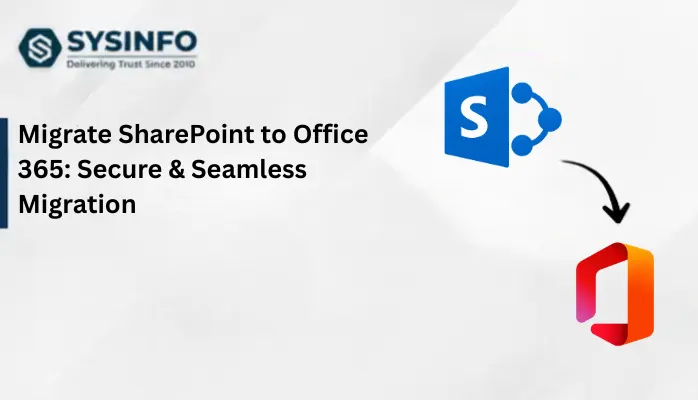
Migrate SharePoint Site to Another Tenant (2026 Guide)
When it’s about the merger, acquisition, or divestiture of a company, nothing is more critical than migrating SharePoint. Cloud collaboration is wonderful, but until it comes to migrate SharePoint site to another tenant with all permissions, historical workflows, document libraries, version histories, and much more. Whether consolidating multiple Microsoft 365 accounts or rebranding, SharePoint migration requires a structured and safe approach like the SysInfo Microsoft SharePoint Migration Tool. Follow this strategy through the guide to preserve integrity and execute a no-downtime migration.
Quick Answer: How to Migrate SharePoint Site to Another Site?
You can migrate SharePoint either using the manual PowerShell commands with technical proficiency and admin access. Or, you can use a dedicated SharePoint Migrator Tool for a streamlined migration with control and data security. But, before proceeding to the methods, we must understand these few things:
- Why The Migration?
- What Gets Migrated?
- Key Challenges with Migration
- Pre-Migration Checklist (if any)
Let’s discuss them one by one for more clarity on the SharePoint to another Tenant migration.
Why Copy Files From One SharePoint Site to Another?
The substantial reasons for this enterprise Microsoft 365 SharePoint migration are specified below:
- Merging or acquiring multiple business units as one tenant for collaborative data management.
- Handling storage quota effectively to optimize space usage for high-volume SharePoint sites.
- Managing data with geographical and legal requirements for compliance in 2026.
- Copying files from one SharePoint to another to protect data with a secure and accessible backup.
- Restructuring departments, rebranding sites, or changing domains to preserve SharePoint libraries, permissions, sites, etc.
So, when you migrate SharePoint site to another tenant, it’s not just a simple shift that goes with drag and drop. Instead, it’s a structural shift to preserve the integrity of the workspace. Here, a document isn’t just any document but a valuable asset.
| So, what exactly does SharePoint contain that is being migrated?
This is an actual question, and you must know what data you are moving to ensure nothing crucial gets misplaced, altered, or lost. SharePoint contains libraries, files, and folders, permissions, user mapping, version history, custom columns, site structures, lists, pages, access rules, workflows, comments, and shared links. Thus, if you appropriately migrate data between SharePoint and another tenant, it won’t just contain raw files but an actual usable dataset. |
Copy SharePoint Site to Another Site: Technical Complexity
Before proceeding with the migration, learning about challenges helps prevent them in the future. Some common ones are:
- Mapping Permissions: It is difficult to have old users and groups in the destination account after the SharePoint tenant migration.
- Data Volume: Enterprises generally have very large amounts of data (in TBs) within one or multiple SharePoint accounts.
- Maintaining Fidelity: Incomplete or improper data migration affects created dates, authorship, or custom properties within SharePoint.
- Compatibility: Automated workflows and data integrations may break if not handled correctly.
- Downtime: Poor planning increases risks and interrupts collaboration and business operations.
Prerequisites to Migrate SharePoint to Another Tenant
To get started with the manual/professional migration, ensure the following are fulfilled:
- Verify the existing SharePoint that you need to migrate
- Identify custom permissions, large libraries, active sites, & obsolete data
- In your destination tenant, ensure that you have sufficient storage
- Users must exist in Microsoft 365, and SharePoint must be configured
- Have a rollback of your SharePoint data to avoid losses
- Old accounts and destination users must be mapped correctly
- Check Microsoft’s file path size limits, considerations, and restrictions for invalid characters
- Download the most recent version of Microsoft SharePoint Online PowerShell.
Once you have managed all, follow the procedural steps mentioned below to perform a simplified SharePoint tenant migration.
Natively Migrate SharePoint Site to Another Site
Microsoft has introduced a cross-tenant migration solution with the SharePoint Online PowerShell. It helps administrators to copy data to other sites across tenancies in a defined way. Built for Enterprise Agreement customers, it moves the entire site with a redirect link at the original location. However, it has some requirements and limits as follows:
| Licensing and Needs
>> Purchase Cross-Tenant Shared Data Migration (only for EA customers) based on the volumes. Say, 100 GB. >> Access for both source and target SharePoint Admin or Global Admin credentials. >> Disable Service encryption with Microsoft Purview Customer Key on the source SharePoint to avoid migration blocks. |
Critical Restrictions
>> Microsoft PowerShell Only allows 5 TB site size per SharePoint site with a max 1 million item count for transfers. >> Character path including new URL for target tenant must not exceed 400 characters. >> Schedule upto 4,000 migrations at once, and no support for incremental or delta migration from SharePoint to another tenant account. |
Steps to Migrate SharePoint Site to Another Tenant Free
-
- Create a trust relationship between source and target tenants using PowerShell.
- For this, create a migration application and exchange their authorization keys.
- Next, run the command “Get-SPOCrossTenantRelationship” to verify that tenants communicate securely.
- Further, prepare a CSV file mapping all source users and group sites to the target tenant.
- Afterward, ensure that no site is created on the target tenant, as it is done by the migration process.
- If a site already exists on the tenant account, the migration can fail as no overwrite happens.
- Later, to copy SharePoint site to another site, use these commands:
| Connect-SPOService
Start-SPOSiteContentMove -SourceSiteUrl <SourceSharePointSiteURL> -DestinationSiteUrl <TargetTenantURL> -IdentityMappingFile <CSVPath> |
- In the end, track your progress with “Get-SPOSiteContentMoveState” to verify the completion status.
What Enterprises Must Do Post-Migration?
Once the data is migrated from one SharePoint to another tenant, you may proceed with the following manually:
- Recreate and republish SharePoint 2010 and 2013 workflows
- Reconnect Power Apps and Power Automate flows to the new site URL
- Remove user-defined permission labels after the migration
Why SharePoint PowerShell Migration Often Doesn’t Work?
The general loopholes of this migration process are:
- Only the site content is moved
- Actual team channel structure and chat history aren’t handled
- Advanced technical skills and knowledge are required
- Certain Power Apps and legacy workflows cannot be moved
- It is complex and only for Enterprise customers
Alternatively Migrate SharePoint Site to Another Tenant Free
While the above method is effective, it doesn’t work if you have very few sites to transfer or no technical expertise. In such a case, to copy the SharePoint data to another site for one time, you can follow these “Download and Upload” steps:
- Initially, open the source SharePoint site.
- Select files, folders, and libraries and click Download.
- Then, a ZIP file gets saved locally on your OS.
- After that, open the target SharePoint site/ another tenant.
- Create matching document libraries in the target tenant.
- Finally, use Upload or drag and drop data from the ZIP.
Now, this works because it doesn’t require any additional software installation or skills. It is suitable for simple documentation transfer. However, this also falls short in numerous terms.
Shortcomings of the Method:
- Metadata is not preserved accurately
- Version history, created by, and other columns aren’t included
- All site permissions, columns, and navigation need manual recreation
- High chances of human error for full SharePoint site migrations
- Extremely slow with the large sites
Better Alternatives for SharePoint Tenant Migration
- Moving SharePoint content within the same organization? Use “Copy To”. Ideal for files and libraries, and performs direct transfer without local download. However, has a limit of 100 GB per copy.
- Use OneDrive and sync both source and tenant libraries. Windows File Explorer helps copy the files and handles data volumes of upto 300,000 files.
- Need to handle complex and recurring SharePoint transfers? Try Power Automate.
Smartly Migrate SharePoint Site to Another Tenant
Enterprises and businesses that deal with large volumes in their SharePoint sites with complex folder structures need scalable solutions. SysInfo SharePoint Migration Tool is one such solution that resolves complexity and handles migration with proper mapping, Microsoft permissions, and security via Graph API. It has advanced filters and multiple options for delta migration, de-duplication, and selective migration. It enables migration both on Windows and Mac OS with a user-friendly interface and offers a ‘Demo’ for pilot test and evaluation.
Quick Steps to Copy Files from One SharePoint Site to Another
- Launch the SharePoint Migrator and select Copy SharePoint.

- Then, choose a login mode, pick your account, and click Add Connection to authenticate.

- Further, opt for the SharePoint sites that you would like to migrate and tap Continue.

- Afterward, enter credentials for the target tenant account after opting for a mode and click Connect & Verify.

- Choose the destination tenant accounts from the list and click Continue to proceed.

- Later, map the source and destination accounts. Tap Map Selected and once done, hit Next.

- Finally, verify the mapping, apply the filters as desired, and click Start Migration to copy.

How is Tenant to Tenant Migrator Beneficial?
This reliable software makes the migration between SharePoint and another tenant easier with:
- Modern OAuth 2.0 Authentication
- Admin Permissions via Microsoft Graph API
- Advanced Encryption and Batch Processing
- Custom Mapping and Unique Filters
- Incremental Migration
- 100% Accurate Data Preservation
- Live Progress Reporting
- Reduces Downtime
SharePoint Migration During M365 Tenants Merger Study
Case: Due to the acquisition, a global consulting company had to consolidate its three Microsoft 365 tenants. Their Single-Tenant SharePoint environment contained 4 TB of content with 200+ SharePoint sites, custom permissions, and workflows by department.
Solution: Rather than manually transferring the data, they used SysInfo SharePoint Migration Software, which offered staged migration with incremental synchronization. Each department was migrated without disruption, preserving all version history and permissions.
Outcome: The organization achieved data transfer without downtime or data loss.
Also, they quickly adopted working on a new tenant account with the speedy migration.
Summing Up
Whether you choose to migrate SharePoint site to another tenant cost-free or risk-free, this 2026 guide outlined above, you can gain efficiency. The key concern during this migration remains data fidelity, and to achieve it, businesses must balance speed, accuracy, security, and operational continuity. Therefore, for large enterprises with hefty data volumes, using SysInfo Tenant to Tenant Migration Software is a perfect choice. It provides resilience, structured migrations, and robust data safety without downtime and loss. Ensure your workspaces are ever-ready for the new sites with the right approaches.
Frequently Asked Questions
Q1. How can I migrate a SharePoint site to another tenant?
Ans. You can use Microsoft SharePoint Online PowerShell, the Download/Upload method, or the SysInfo Microsoft 365 Tenant to Tenant Migration Tool. All of them are useful for migrating a SharePoint site to another tenant with their own benefits and limitations. You can pick any solution based on your data volume and technical efficiency.
Q2. Can I copy files from one SharePoint site to another without data loss?
Ans. Yes, with the specialized SharePoint migration tool, you can copy data to another site without loss. It preserves all metadata, mapping, libraries, site content, workflows, comments, and more.
Q3. What prerequisites are required to migrate a SharePoint site to another tenant?
Ans. Administrative access, active destination tenant, user mapping, sufficient storage, and proper migration planning for complete migration.
Q4. Do I need technical knowledge to migrate SharePoint sites?
Ans. PowerShell solution requires technical expertise to migrate SharePoint sites. However, SysInfo Tenant to Tenant Migration Tool offers a user-friendly GUI, suitable for point-and-click migrations without special skills.
Q5. Can I migrate large SharePoint sites to another tenant?
Ans. Yes. SharePoint PowerShell supports migrating sites of upto 5 TB to another tenant. For more large migrations, you can use the dedicated Office 365 Tenant to Tenant Migration Tool by SysInfo.
About The Author:
Simran Bhatia is a technical content writer engaged in writing clear, concise, and SEO-optimized content. With a background in computer science and a passion for writing, I thrive to deliver complex technical content in simple layman terms.
Related Post