-
Written By
Simran Bhatia -
Approved By
Sonika Rawat -
Updated on
July 22nd, 2026 -
Read Time
9 minutes
M&A Migration with SysInfo: Secure Business Migration
“Hi, I’ve been struggling with one of my clients who needs a full tenant-to-tenant migration during the M&A of their company. I’ve reviewed several solutions, but they are too costly. I need to suggest a cost-friendly solution that migrates all their mailboxes, SharePoint, and OneDrive data without loss in minimal time. Everyone has their own licences, their own Entra ID, and as the merger is only operational, the client wants a solution that ensures their data security at large scale with no high stakes and spending. If anyone can suggest something reliable, it is appreciated.”
-Kamikaza Jane, Florida USA
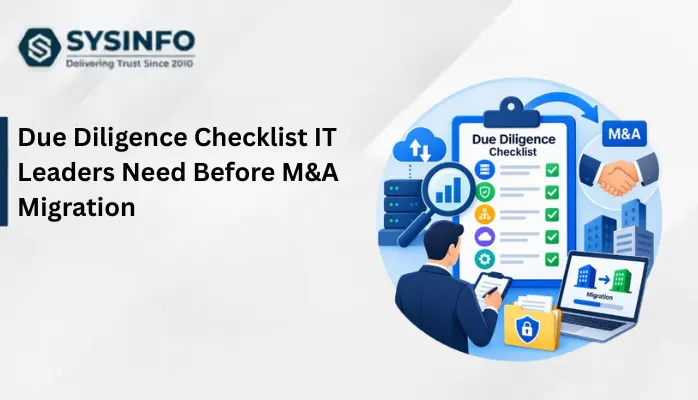
Are you ready for your M&A migration? Worried about how to handle your tenant-to-tenant data transfers? Before anything, you must be aware of the fact that this migration isn’t simple and can create complexities for IT teams if not handled properly. Moreover, with large businesses and enterprises in the equation, it becomes even more important to identify which M&A scenarios you are planning for, what prerequisites you are taking, which method is being opted for migration, and what strategies/best practices you are working on. To understand all of it, this guide explains the ideal solution, including the SysInfo Microsoft 365 Tenant to Tenant Migration Tool built for such large-scale M&A data exports with precision.
Conceptualization of Migration for M&A
M&A is a business strategy adopted by organizations for growth, expansion, and transformation, entering new markets, gaining assets, or improving operational efficiency. However, behind it is a critical task, i.e., data migration.
Why Migrate Data During Merger & Acquisition?
This is a common question users generally ask when planning their consolidation because each Microsoft 365 tenant has their own Entra ID, SharePoint, and assigned licenses. This means extreme attention is needed to handle the data during M&A transfers. The top reasons for migration during this period are:
- Resume business operations without disruption
>> Ensure continuous access to systems, consistent service, and operations
>> Prevent system outages, transaction loss, customer frustration, and costly downtime
- Unified view of customer’s tenant mailbox data
>> With M&A migration, databases generally have different formats, inconsistent information, or duplicate records.
>> With all data in a single tenant, users can market effectively and build better relationships.
- Risk reduction by meeting regulatory and compliance needs
>> It is one of the major concerns for all M&A transactions. Data must be handled properly for GDPR, industry rules, or data protection laws.
>> Proper handling can only ensure the prevention of compliance breaches, legal penalties, and reputational damage.
- Speed up integrations for more effective business value
>> Data migration delays affect businesses with increased costs and frustrated stakeholders.
>> With timely migrations, it gets easy to achieve efficiency and quick ROI, resulting in faster decision-making.
- Better collaboration among the teams
>> Working with incompatible or inconsistent systems results in slow performance.
>> Standardizing data with proper alignment helps remove technical barriers and encourage smart migration.
- Brand and Customer Trust Protection
>> Costs, missed communications, and disrupted services affect the brand image.
>> Maintaining service quality with a reliable software solution ensures customer trust and satisfaction.
Ideal Customers for M&A Data Migration
|
End Data Users
Employees, HR, Finance, Sales, and Legal teams who need to access new email addresses, communication tools, benefit systems, CRMs, etc. to manage several acquired companies together in a unified organization. |
IT Tech Users
IT Admins, Cyber users, Database Admins, Cloud and Network users interested in managing user licences, accounts, access permissions, and more for mapping, merging databases to keep data encrypted and secure across corporate networks. |
Decision Makers
CIOs, PMO, Compliance Officers, MSPs, and teams handling compliance needs for meeting legal requirements for unified data governance and to meet GDPR, HIPAA, and other industry standards, tracking migration timelines and progress. |
All Organizations
Small, medium, or large-scale businesses and enterprises handling mergers while keeping tenants separately running, consolidating tenants from past acquisitions, and those who are going under divestitures need M&A transfers in an organized way. |
Complexities & Challenges With M&A Migration
The task of transferring mailbox data from one Microsoft 365 account to another has been largely accomplished. Reconciling the identity systems responsible for that data is where the M&A tenant migrations become tricky. Companies often have incompatible Entra ID configurations, Conditional Access policies, or security groups. Every permission is tied to the identity layer rather than the file or message. Since each tenant is unique in itself, one method doesn’t work for all, and hence these difficulties arise:
- Various Entra ID configurations cause user and group mapping problems.
- Isolating SharePoint and Teams makes migrations and permission management harder.
- User licenses that are not being used lead to unnecessary expenses.
- Improperly conducted migrations can result in loss of emails or metadata.
- Diverse security settings cause issues for access control and compliance management.
- Small budgets make complete mergers impossible for many small and mid-sized firms.
How to Perform Secure M&A Tenant-to-Tenant Migration?
The manual method using Microsoft Exchange Admin Center often brings in numerous complexities that require great control and technical proficiency. Exchange Online PowerShell and the Mailbox Replication Service are the most common methods for this cross-tenant migration. However, before any process, users must build trust and organizational relationships and cooperate with the registration of migration apps. Some common drawbacks here, due to which users generally prefer a third-party utility solution for the migration, are:
- Requires advanced PowerShell and Administrator skills.
- Tenant admins need to coordinate for optimal results.
- Manual migration requires following multiple steps.
- High chances of mistakes in configuration and mapping.
- Native migration only supports Mailboxes, SharePoint, OneDrive, & Teams.
- Migration batches need consistent monitoring and troubleshooting.
- It is not a very flexible and scalable option for the migration.
Therefore, the migration must proceed with a secure and considerable solution as defined below for precision.
Reliable Enterprise-Grade M&A Migration With SysInfo
If you need a cost-effective, smooth, and user-friendly solution that saves your time and effort, then SysInfo Microsoft 365 Tenant to Tenant Migration Tool is your solution. It allows both modern authentication OAuth2.0 and individual user-assigned impersonation login, solving the exact issue of the source tenant admin blocking app consents during M&A. Several users prefer this solution because it offers effective outcomes with signified mapping manually or automatically without any risks. Moreover, the software even offers deduplication for Mailboxes, SharePoint, and OneDrive, along with migration for all, including Teams.
Simplified Working of the Software
- Launch the tenant-to-tenant migration software and choose a copy mode.

- Select the source mailbox account and authenticate it to select user mailboxes.

- Further, sign in to your destination tenant account and select the mailboxes to which you need to access data.

- Afterward, map the source and destination mailboxes and save the mapping.

- Moving ahead, apply the filters as desired and start the migration between tenants.

- Track the progress in the Active Tasks dashboard and check migration reports for complete details.

Why SysInfo for Enterprise M&A Tenant-to-Tenant Migration?
Big businesses require an ideal solution that provides them with authenticity and maintains their data privacy. SysInfo is such a solution offering:
- Migration with delegated user access and organizational policy permissions.
- Folder hierarchy, metadata, and data integrity intact without losses.
- Duplicate detection to skip similar items, preventing extra storage consumption.
- Compliance log reports for audit and review of the migration and deduplication.
- Safe and secure authentication with dual modes without any reliance on external applications.
- Protection of the credentials and fast speed for minimal time consumption and maximum results.
- PST export option with many filtering criteria and incremental sync for
- efficiency.
- Local installation without cloud dependency, with ideal pricing and 24*7 support for all users.
- Live migration reports to identify what is flagged, missed, completed, or lost during the process.
Example Case:
A high-tier marketing firm recently acquired a mid-sized firm, and they had around 15 TB of data across multiple Office 365 tenants for the transfer. Manually, they faced several throttling limits, and the migration often failed midway. Later, using the SysInfo Microsoft 365 Migration Software, they quickly transferred the entire dataset in one go with proper integrity and no downtime. The throttling issues were handled well, and they achieved 99.9% uptime with the migrations in their business operations.
Final Remarks
The absolute preparation and assessment of all the requirements and the process for M&A migration with SysInfo ensures your data is kept intact. It allows large enterprises to manage things effectively while maintaining full control over the required solution. With secure authentication protocols and a defined process, managing the migration between tenants during mergers gets simplified. Thus, ensuring all business processes can continue without any disruptions with ease.
Frequently Asked Questions
Q1. What data is usually migrated during an M&A migration?
Ans. Exchange Microsoft 365 mailboxes, OneDrive, SharePoint, and Teams with all their sub data are migrated during M&A. However, data under legal hold may require separate handling from the rest of the data.
Q2. Can M&A migration be performed without business downtime?
Ans. Yes, M&A migrations can be performed with no downtime using the dedicated Office 365 Tenant to Tenant Migration Tool by SysInfo. It uses Microsoft Graph API and EWS thresholds to manage the downtime without significant risks.
Q3. What are the biggest challenges in M&A data migration?
Ans. The biggest challenges during M&A data transfer include identity and permission mismatches between tenants, untransferred tenant licenses mid-term, and a fixed TSA deadline that slows migration and leaves no space.
Q4. What is incremental migration during M&A?
Ans. Incremental migration during M&A refers to resuming the interrupted process without actually migrating the data that is already transferred once. It helps eliminate redundancy while ensuring the data during migration is clean and unique.
Q5. What is the safest approach to M&A data migration?
Ans. The safest approach for your M&A tenant-to-tenant migration is using the trusted SysInfo Microsoft 365 Migration Tool. It allows secure authentication, smooth migration, no risks, delta syncs, and transfers in minimal time without extra cost or effort.
Q6. What is the benefit of M&A migration with SysInfo?
Ans. It allows easy mapping, incremental syncs, permission and other data preservation, an active tasks dashboard, and a log report for identifying the migration records.
About The Author:
Simran Bhatia is a technical content writer engaged in writing clear, concise, and SEO-optimized content. With a background in computer science and a passion for writing, I thrive to deliver complex technical content in simple layman terms.
Related Post