SysInfo NSF to PST Converter

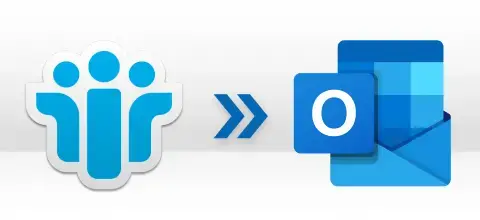
Effortlessly Migrate Lotus Notes to Outlook or Office 365 with Enterprise-Grade Precision

  (Average Rating 4.9 Based on 2489 rating)
  • Export all emails, contacts, calendars, tasks, and more from HCL Notes NSF Files.
  • Perform NSF to PST conversion in bulk without causing any data alteration.
  • Convert Lotus Notes NSF Files to Outlook PST, EML, PDF Document, and Office 365 account.
  • Offer a preview feature to check the mailbox content of the chosen NSF file.
  • Allows you to save Lotus Notes contacts on the system in VCF or MSG formats.
Note: You must install IBM Lotus Notes and configure it to perform the conversion with this tool.

*SysInfo NSF to PST Converter Fully Secured Download Version.
852K+ Downloads
190+ Countries Worldwide
15+ Years Experience

Benefits of Lotus Notes to Outlook Converter

Some Benefits of SysInfo Lotus Notes to Outlook Migration Tool for Quick and Secure Conversion

When to Use the SysInfo NSF to PST Converter Tool?

Scenarios where you need to use the SysInfo NSF File to PST Converter for better results.

Simplify Migration from Lotus Notes to Outlook

Lotus Notes Emails

To ensure business continuity for an organization moving from IBM Lotus Notes to Microsoft Outlook, swift NSF to PST data conversion is required. Organizations use this best NSF to PST Converter Tool to open NSF file in Outlook and move entire mailboxes, such as emails, calendars, and contacts, with their metadata and folder structure. It also helps minimize operational costs, and businesses can confidently adopt Outlook productivity and advanced collaboration without data loss or disruption to workflows.

Secure Data Access for Employees Departing

Migrate HCL Notes Emails

Facilitate offboarding or knowledge transfer with confidence. Rather than struggling with access to obsolete systems, convert the NSF mailbox of the employee into a PST/EML/ or PDF, providing an archive for their successor, securely and conveniently readable via Outlook and other programs. Also, ensure IBM Notes NSF file contacts are retained in VCF or MSG formats via this reliable NSF Converter to ensure client communications, records, and project history are accessible without hampering business intelligence.

Maintain Legal Compliance & eDiscovery

Save

Respond to an eDiscovery request or compliance audit with certainty. Our Lotus Notes Converter generates your intact NSF file contents you need, including contacts and calendar entries, in the universally accepted PST and PDF formats. Legal teams can then use the complete and verifiable data set to meet audit and compliance expectations and put it to good use for your organization's legal and regulatory compliance. If needed, you can even directly migrate Lotus Notes to Office 365 accounts for a cloud backup of the evidence.

Top-Notch Features of Lotus Notes to PST Converter

Know the significant features of SysInfo NSF to PST Conversion Tool that make it the best choice

Batch IBM Notes NSF File Migration

Batch IBM Notes NSF File Migration

Process several NSF files simultaneously and effortlessly to PST format. This option decreases the overall conversion time drastically, which further simplifies the process of large-scale migrations. Also, it imposes no restriction on the NSF file size or mailbox size limits.

Selective Migration and NSF Filtering

Selective Migration and NSF Filtering

Take exact control of your data migration. Lotus Notes Converter enables you to focus on converting individual folders, emails, contacts, or calendar items by Date Range (Start or End) or item type, guaranteeing the exact data is transferred, minimizing the use of storage space.

Comprehensive Notes Data Preview

Comprehensive Notes Data Preview

Review your data and make selections with ease. The preview pane is interactive and shows all mailbox items, emails, attachments, and calendars in a hierarchy prior to conversion to provide the data needed to select and verify content.

Integrity & Structure Preservation

Integrity & Structure Preservation

Guarantee structure and metadata fidelity. The NSF to PST Converter ensures original folder structure is preserved, as well as email formats and attachments in the new PST file, producing an entire and precise copy of your Lotus Notes database.

Multi-Format Convert Compatibility

Multi-Format Convert Compatibility

Use your data with maximum flexibility. Though PST format is the focus, you can also save Lotus Notes emails to Hard Drive in PDF and EML formats with this NSF Converter. Also, store Lotus Notes NSF file Contacts in VCF and MSG formats. Plus, live migration is available for cloud services such as Office 365 with zero data loss.

Duplicate Removal & Folder Exclusion

Duplicate Removal & Folder Exclusion

Automatically detect and remove duplicate emails upon conversion using multiple criteria such as To, From, Subject, and Body text. This ensures a clean and optimized PST file. Also, use the Exclude All Folders option to bypass the unnecessary content in the result. This streamlines workflow and reduces processing time.

Advanced HTML Formatting

Advanced HTML Formatting

Use the Lotus Notes to Outlook Migration Tool HTML formatting feature to design the visual appearance of your email content. It gives a clear and enhanced view of your NSF database without any alterations or impacted folder structure and data integrity.

Split Resultant Large PST Files

Split Resultant Large PST Files

Stop PST corruption due to oversized files with the intelligent split PST filter. The NSF File to PST Converter automatically splits large resultant PST files into multiple smaller files based on MB or GB, which works best with Outlook without exceeding limits. Thus, high performance and easy access.

Skip Previous NSF File Migration

Skip Previous NSF File Migration

Execute the NSF to PST Converter Tool by SysInfo and use its Skip Previously Migrated Data filter to convert/migrate only the new emails to the desired format or client with complete accuracy. Achieve data optimization without manual intervention or data loss risks for your critical mailbox data.

Customizable Naming Options

Customizable Naming Options

Convert emails to organized folders using flexible file naming patterns such as Subject, Date_Subject, From_Subject_Date, and Date_From_Subject. Also, set Custom Folder Name and define a custom storage path for the resultant folders that facilitates intuitive data access and efficient records archiving.

Secure & Certified Export Solution

Secure & Certified Export Solution

Future-proof your content by performing migration directly to a modern cloud platform. Securely and accurately export your NSF content to an Office 365 mailbox with Modern Authentication. Perform NSF conversions swiftly with this self-explanatory tool, whether you are a techie or a non-techie!

Notes Universal Version Compatibility

Notes Universal Version Compatibility

Accomplish full platform support for all IBM Notes 9.0, Microsoft Outlook versions (Office 365, 2019, 2016, 2013, 2010, 2007, 2003), and Windows versions (11, 10, 8.1, 8, 7, Vista, XP, etc.) with the best Lotus Notes NSF Converter. This comprehensive compatibility ensures smooth migration with no hassle or platform issues.

Software Specifications

SysInfo NSF to PST Converter Tool specifications and system requirements, users must follow before using the software

product Icon
About Product
Version: v24.12
Size: 184 MB
Release Date: October 27, 2025
Edition: Home, Administrator, Technician, and Enterprise
  
product Icon
System Requirement
Processor: Intel® Core™2 Duo E4600 Processor 2.40GHz
RAM: 8 GB (16 GB Recommended)
Disk Space: Minimum Disk Space - 512 GB
Support IBM Notes 9.0
Support Outlook Versions: Office 365, 2019, 2016, 2013, 2010, 2007, 2003, 2002, 2000, 98, and 97.
Supported Windows: 11, 10, 8.1, 8, 7, 2008/2012 (32 & 64 Bit), and other Windows versions.
product Icon
Demo Version
Test every functionality of the best NSF to PST Converter Tool by SysInfo with the featured trial version of the software. Get complete access to explore the capabilities of the software and convert upto 50 emails per folder for free to ensure it fulfills your needs. After thorough inspection and satisfaction, upgrade to the premium version for a full, limit-free mailbox conversion.
product Icon
Additional Information

Stepwise Process to Convert NSF Files into PST Format

Understand the process for converting an NSF file to PST in a few simple steps

Awards and Reviews

SysInfo's Award-Winning Software Recognized by Experts- Highly Rated in the Best Category

Google
  4.2/5
Trustpilot
  4.6/5
capterra
  4.7/5

Lotus Notes NSF Converter Demo & Full Version Comparison

Get a Comprehensive Understanding of NSF to PST Converter Tool Features- Free & Full Version.

Product Features Free Version Full Version
Bulk Migration of NSF files into PST format Effortlessly 50 Items per Folder All
Convert NSF files to EML and PDF 50 Items per folder All
Migrate NSF (Emails, Contacts, Calendars, Tasks) into Office 365 50 Items per Folder All
Save NSF Contacts in VCF and MSG formats 50 Items per Folder All
Option to choose folders and Preview them
Date Filter Feature
Option for Naming Convention & Custom Folder Name
Exclude All Folder Option
Remove Duplicate Mail(Based on To, Subject, Cc, Bcc, From)
Split Resultant PST
Skip Previous Migration & Attachment
HTML Formatting
Compatible with NSF files created by all Versions of Lotus Notes
24*7 Tech Support & 100% Secure
Money-Back Guarantee

Frequently Asked Questions

Some of the generally asked user queries and their related solutions

Ans: To convert NSF to PST, you must have either IBM Lotus Notes or HCL Notes installed on your system. The NSF to PST converter requires a valid or dummy profile to access your NSF database files. On the other hand, the installation of Microsoft Outlook is not mandatory since the tool itself generates PST files for all Outlook versions and does not need an active installation of Outlook to convert the files.

Ans: Yes, the smart tool provides bulk or batch processing of NSF files. Users can add and convert multiple NSF files from various locations at the same time without degradation of performance. In addition, there are options to divide large PST files for ease of access, both in the demo and licensed versions.

Ans: The data from NSF files not only converts to PST files. The trusted software also allows to export Lotus Notes documents to PDF and into EML format. Also, you can save contacts in VCF and MSG formats. Moreover, it allows easy migration to Office 365, guaranteeing great compatibility when migrating across platforms.

Ans: Admin consent is only required when the application requests additional permissions beyond a user’s mailbox or data. Like during the organization or multi-user level access. In these cases, a Microsoft 365 administrator will need to accept the connection to allow secure, controlled access.

Ans: Of course, yes! The tool provides advanced selectivity in conversion, as you can include Date Range (Start and End Date) filtering. Also, you can select specific folders from the tree-view format, use "From", “Subject”, and "To" that filter the emails for the conversion, and skip any folders you don’t want to include so that you get the needed emails only.

Ans: No, the SysInfo NSF to PST Converter Tool has no limits on the NSF size or quantity of files. The software can effectively migrate massive NSF databases, even over 50 GB files! There is no data loss and no performance degradation regardless of size. You can even split large PSTs based on MB or GB to optimize them in Outlook.

Ans: Yes, the converter creates a replica of the original NSF files, maintaining 100% data structures and folder hierarchy. It even retains subfolder structure, email metadata (To, From, CC, Bcc), HTML formatting, embedded images, links, attachments, and all properties in the NSF database. There is no data loss, and the outcome is an accurate representation of the Lotus Notes database, accessible in Outlook PST and PDF, or EML formats.

Ans: The automated software is fully compatible with all versions listed below: IBM/ Notes 9.0 and all editions of Microsoft Outlook 2021, 2019, 2016, 2013, 2010, 2007, 2003 (32-bit/64-bit), and Windows 11, 10, 8.1, 8, 7, Vista, XP, Server 2022, 2019, 2016.

Ans: Your data security is the highest priority. The application runs in a read-only format, so your original NSF file will remain entirely intact. All data processing will be performed locally, meaning no data will be sent to a third-party server. Also, you can preview the same in the tree structure without any issues at once.

Ans: No. The Lotus Notes Converter Tool cannot immediately convert the password-protected NSF files to other formats. You can first use the NSF Local Security Remover Tool to decrypt them and later convert them with this software for free or using the full version.

Our Clients Review

Verified Customer Reviews for SysInfo Lotus Notes to PST Converter